

Stop phishing scams before they hurt your bottom line. Get practical advice on phishing email detection strategies and security measures for your business.

It all starts with a simple email. Perhaps it’s a seemingly routine message from your IT department warning that a password is about to expire. Or maybe it’s a notification from your bank about suspicious activity on your account.
You quickly scan the message, see a familiar logo, and click the link without a second thought. But in that split second, you might have just opened the door to a costly cyber attack. Now, imagine this happening across your whole team.
A handful of employees click the link in these convincing emails, and, suddenly, your business is facing a major phishing attack. Sensitive personal and financial information is exposed, account numbers are compromised, and you’re left scrambling to stop the damage. Want to avoid this nightmare scenario? Here’s what you and your team need to know to keep phishing attacks from causing chaos.
Understanding phishing emails
Phishing scams are messages intended to steal personal and financial information by pretending to be from trusted sources, like banks, vendors, or even internal departments. These messages often look real enough to trick people into sharing sensitive data or downloading harmful files.
Why are phishing attacks so popular? Simply because they work. Scammers know that certain words and tactics grab attention: urgency (“Act now!”), authority (“Message from CEO”), fear (“Unusual account activity”), and opportunity (“Refund pending”). Using these tricks, cyber attackers create convincing emails that fool even careful readers.
Phishing attempts don’t just come via email anymore. Scammers now use text messages (smishing), phone calls (vishing), and fake WiFi networks to steal information. They may send text messages about package deliveries, leave voicemails about tax issues, or create public WiFi networks with names similar to popular coffee shops.
In a business setting, the impact of phishing can be serious. Just one compromised account can lead to:
- Exposure of personal information
- Theft of bank account numbers and credit card data
- Access to multiple other accounts through reused passwords
- Ransomware infecting your company networks
- Penalties for data breaches
All this can harm client trust and damage your company’s reputation, sometimes with lasting effects. The good news is that you can identify phishing emails and avoid scams with some basic knowledge and the right tools.
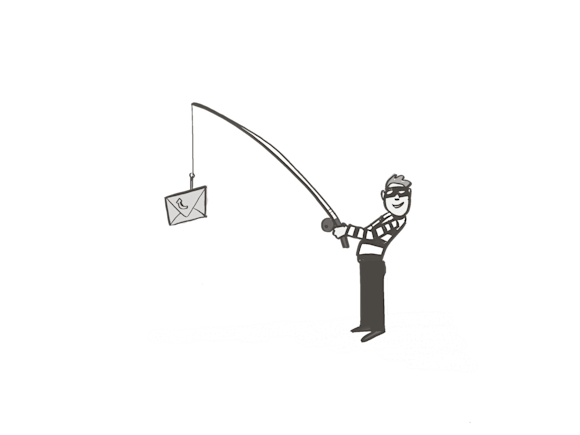
Phishing emails are deceptive messages that try to trick you into sharing personal or financial information.
Common types of phishing emails
Scammers are constantly updating their tricks to target businesses. Here are the most common phishing emails to watch for in your workplace.
Standard phishing
Standard phishing is the simplest type of phishing scam. Scammers send thousands of malicious messages, pretending to be from popular services like Netflix, Amazon, or major banks. These messages often ask you to click a link to reset your password or update your account. Sometimes, trap phishing is involved, using tempting offers to lure you into clicking a harmful link.
Spear phishing
Spear phishing is more targeted. These messages might include details like your name, job title, or something about your company, making them seem more personal and legitimate. Often, they look like they’re from someone you know, like a coworker or client, so you’re more likely to trust them and fall for the scam.
Clone phishing
Clone phishing takes a real email and makes a fake copy of it. The phony email looks almost exactly like the real one, but it includes links or attachments that will infect your computer with a virus. Since it looks like an email address you’re familiar with, you’re more likely to click the link or download the attachment.
Pharming
Pharming isn’t exactly a phishing email, but it’s a similar trick. Scammers direct your computer to take you to a fake website that looks like the official domain, even if you type in the correct address. They might steal your login information or other personal details when you try to use the phishing website.
What to look for
- Urgent or emotional language: Phishing emails often create a sense of urgency, claiming your account will be closed or has a problem, to pressure you into acting quickly without thinking.
- Generic greetings: A generic greeting like “Dear Customer” instead of your name can be a red flag.
- Suspicious sender addresses: The sender’s email address may have a slight misspelling of a legitimate company’s domain (e.g., “amaz0n.com” instead of “amazon.com”) or be a public domain (like @gmail.com) for a company that should have its own.
- Spelling and grammar errors: While some scams are more sophisticated now, many still contain obvious mistakes that legitimate companies would not make in their official communications.
- Links and attachments: Hover your cursor over links (without clicking) to see the actual destination URL, which might be different from the text. Be wary of unexpected attachments.
- Requests for personal information: Legitimate organizations typically do not ask for sensitive information like passwords, Social Security numbers, or credit card details via emails.
How to protect yourself
- Don’t click: If you suspect an email is a phishing attempt, do not click on any links or open attachments.
- Verify independently: Contact the company directly using a phone number or website you know is legitimate, not the information in the suspicious email, to confirm the request.
- Use security software: Keep your computer and phone software updated, as these updates often include critical security patches.
- Enable multi-factor authentication (MFA): Use MFA whenever it’s available to add an extra layer of security to your accounts.


